AI MyHomes: AI Material Swap for Whole-Home Levels
I replaced an 8-hour render pipeline with an AI material-swap tool. A new whole-home level now takes one day and 30 minutes of artist time, so a feature budgeted about once a year can ship on demand.
My Homes is a Design Home feature where players unlock whole multi-room properties and decorate them from the floor up, choosing details like flooring and wallpaper. Players loved it and wanted more homes, but every home was expensive to make.
I built the original production pipeline in 2022, then rebuilt it around AI. The new version turns one neutral render into as many finished material variations as the content team needs, with no re-rendering.
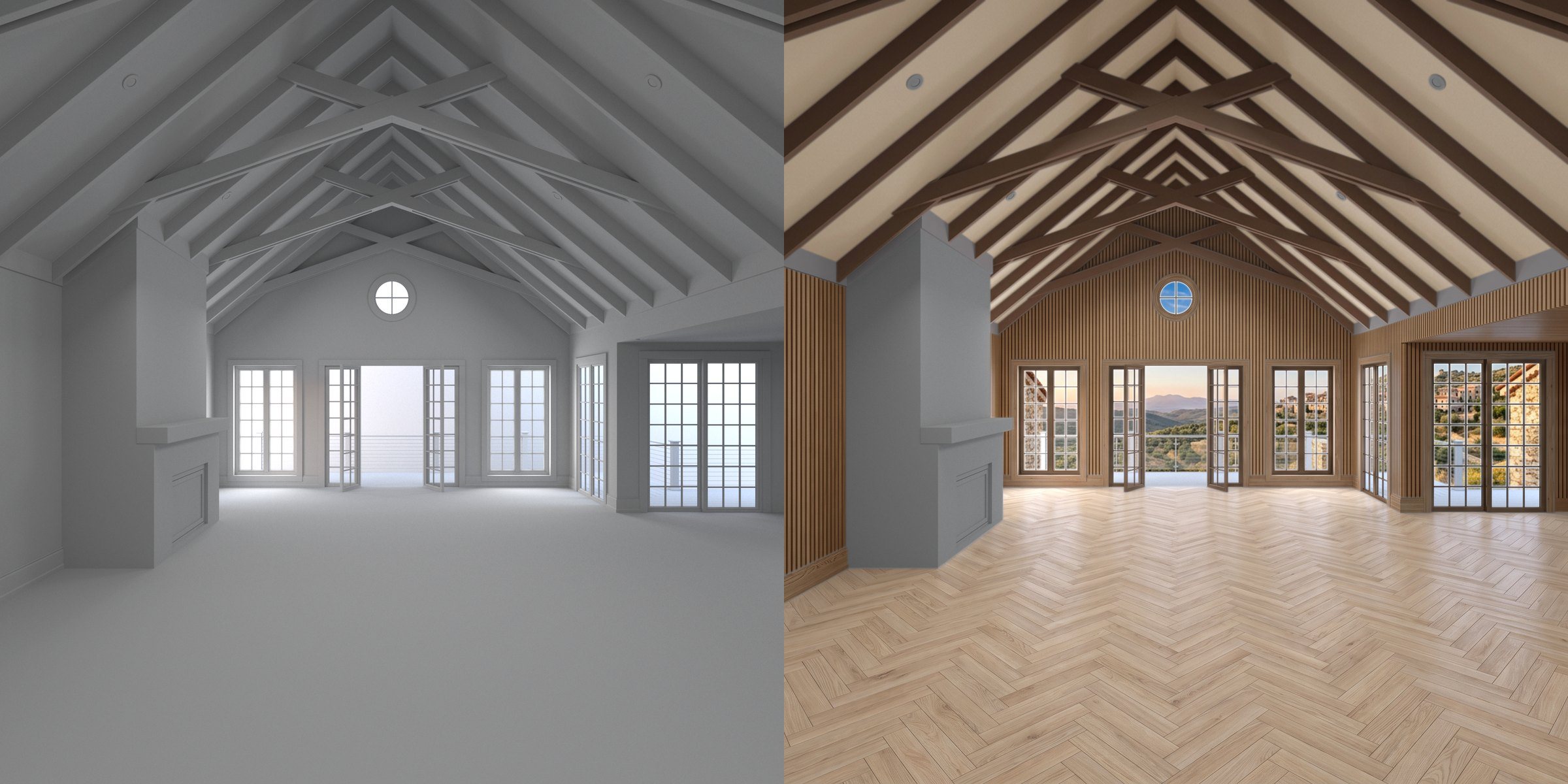 Left: the single neutral render from V-Ray. Right: one finished look built from AI-generated material layers.
The problem
My 2022 pipeline was semi-automated with V-Ray and driven from a Google Sheet:
- About 1 hour of artist setup and 8 hours of rendering per home
- A lot of moving pieces: sheets, scene setup, render settings and render nodes
- Every new material or color meant another full render
It worked, but it cost enough that production treated each release as a major expense. The studio budgeted for new homes about once a year, even though players kept asking for more.
The idea
Render the room once, in neutral clay, with a selection map for every surface. Then let AI repaint only the surfaces you choose.
- V-Ray Cryptomatte gives a pixel-accurate mask for every named surface: floor, front walls, ceiling, beams, doors, molding and more. The tool reads the mask names straight from the render file.
- Nano Banana (Google Gemini), called through Adobe Firefly’s workflow API, repaints the room from a plain-language prompt or a material photo.
- The Cryptomatte mask cuts the AI result back to just that surface. Each variation becomes a clean, transparent layer, and the rest of the room is never touched.
Because every surface is its own layer, variations mix and match. Six floors, ten wall treatments and thirteen beam finishes give hundreds of combinations from a single render.
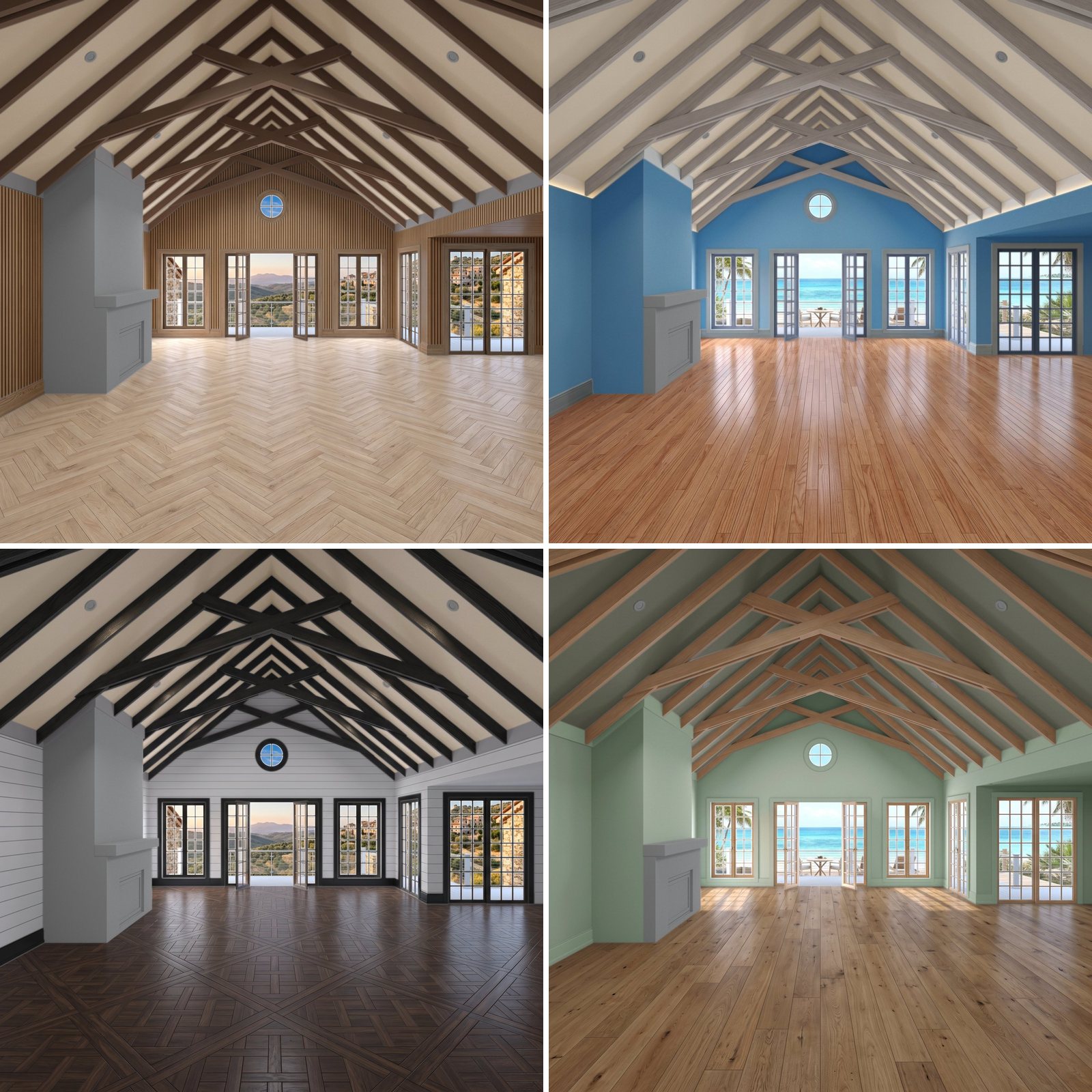 Four looks built from the same render. Only the layers changed.
How it works
1. Load the room and pick surfaces
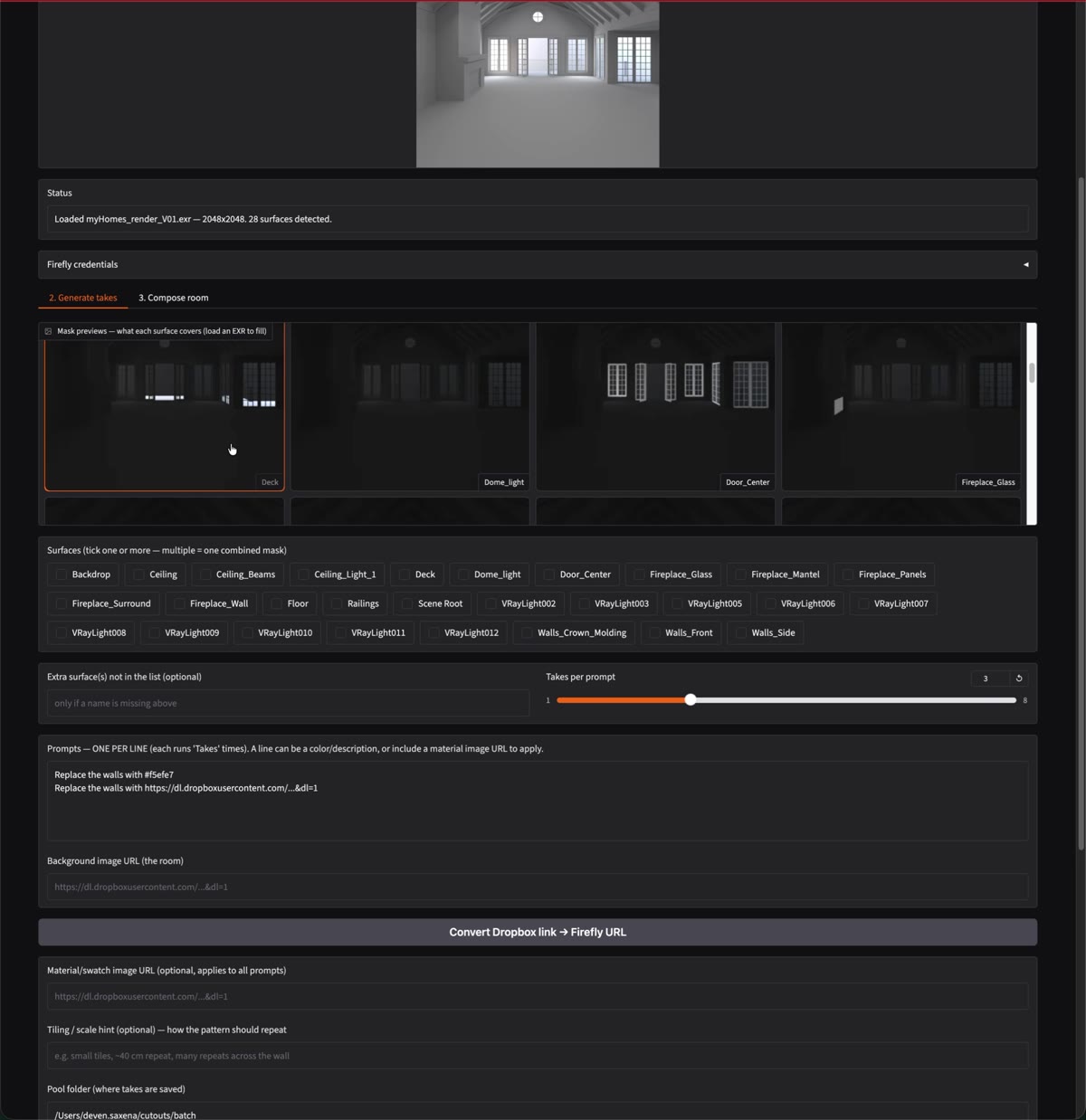
The artist loads the render file. The tool lists every surface it found (28 in this room) and shows a mask preview of each, so nobody needs a reference sheet to know what “Walls_Front” covers. Ticking more than one surface combines them into a single mask.
2. Describe the materials
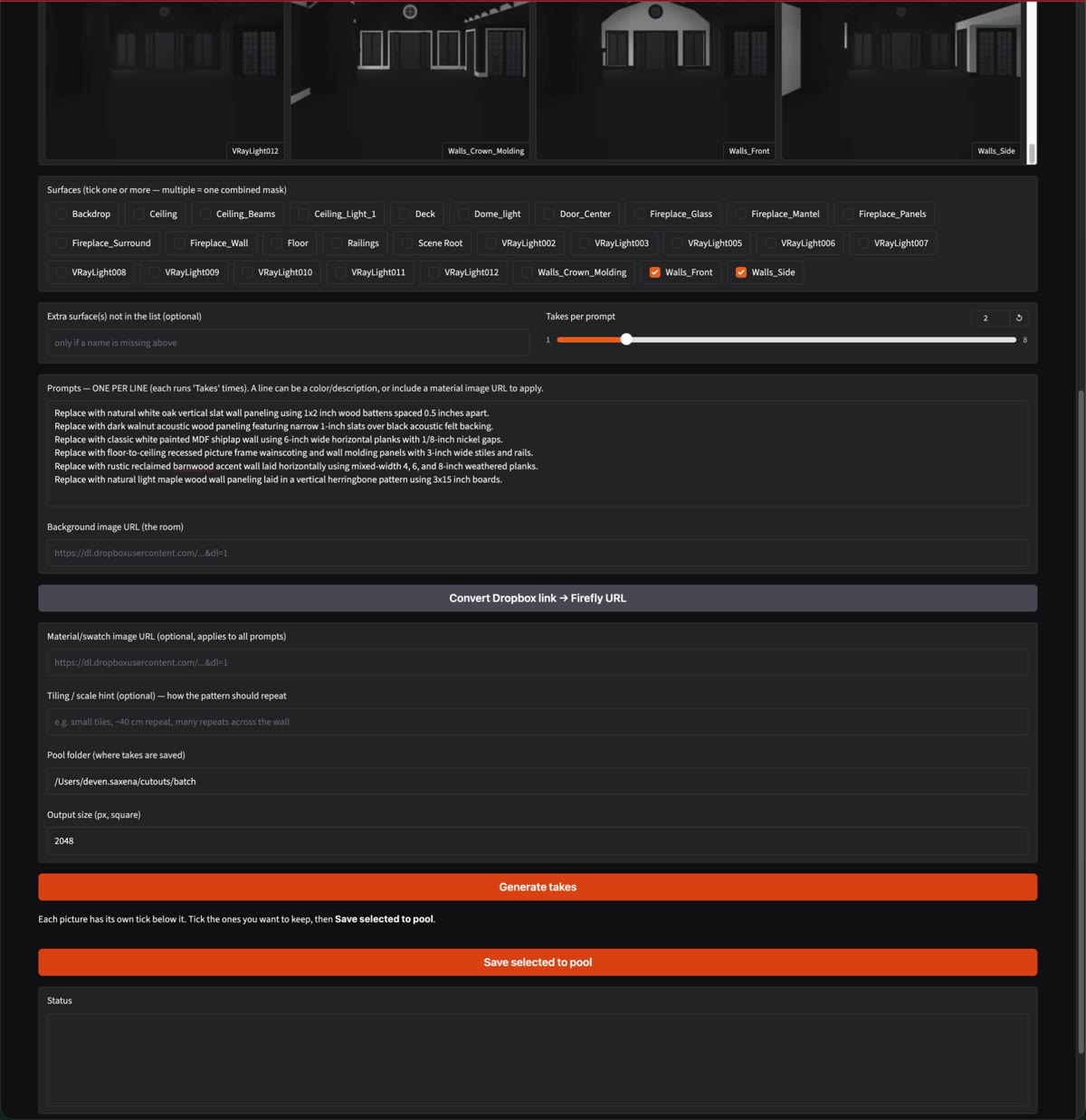
Each line is one material: a color (Replace the walls with #f5efe7), a description (“natural white oak vertical wall paneling using 1×2-inch battens”), or a link to a real material photo or wallpaper swatch. Every prompt runs several times, so the artist gets options to choose from.
3. Review the takes and keep the best
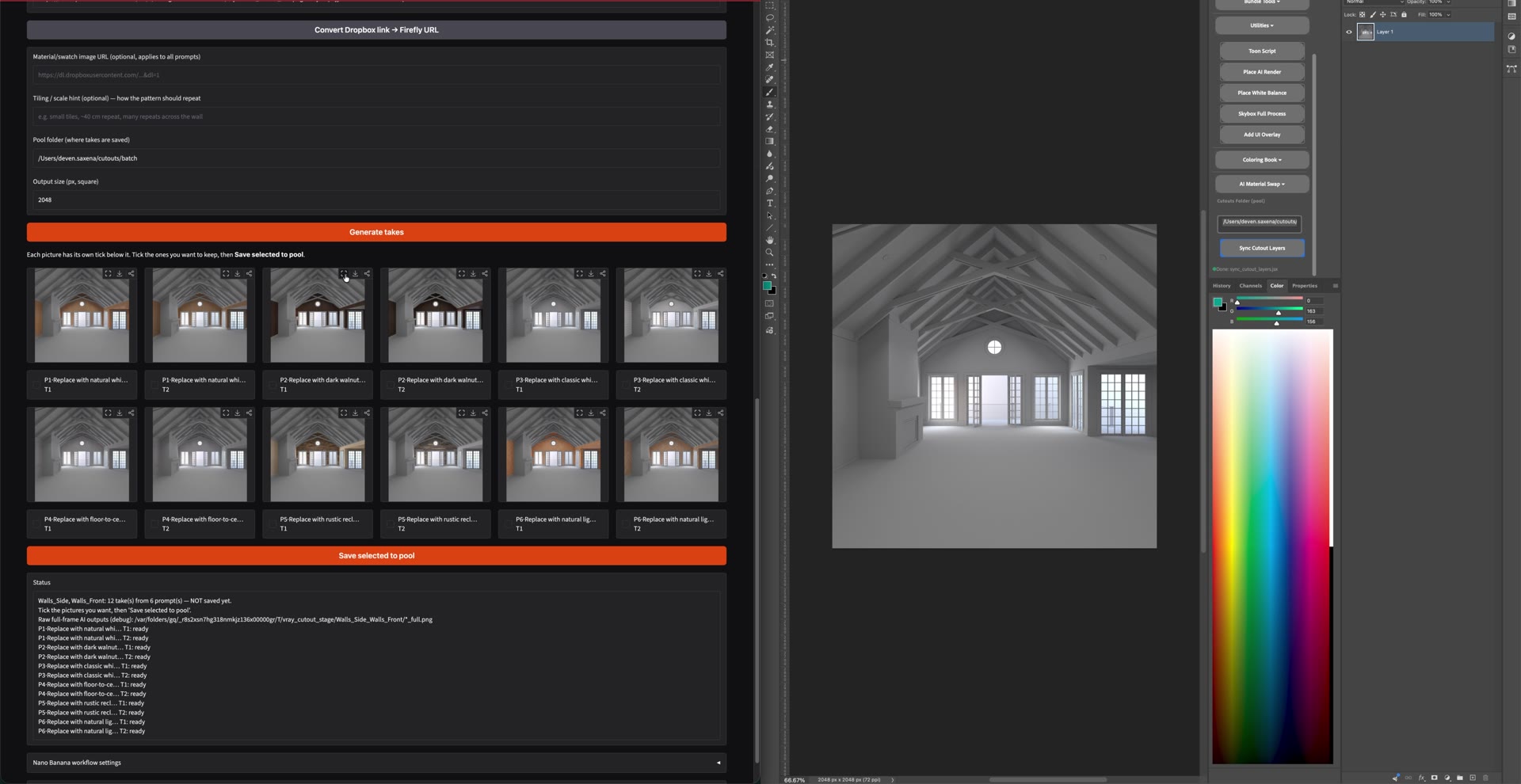
Every result appears with its own checkbox. The artist ticks the keepers and saves them to a shared pool, organized by surface.
 Wall takes: paint colors, vertical slats, herringbone and shiplap.
 Floor takes: herringbone, wide plank, dark parquet and rustic oak.
4. Clean cutouts, ready for the game
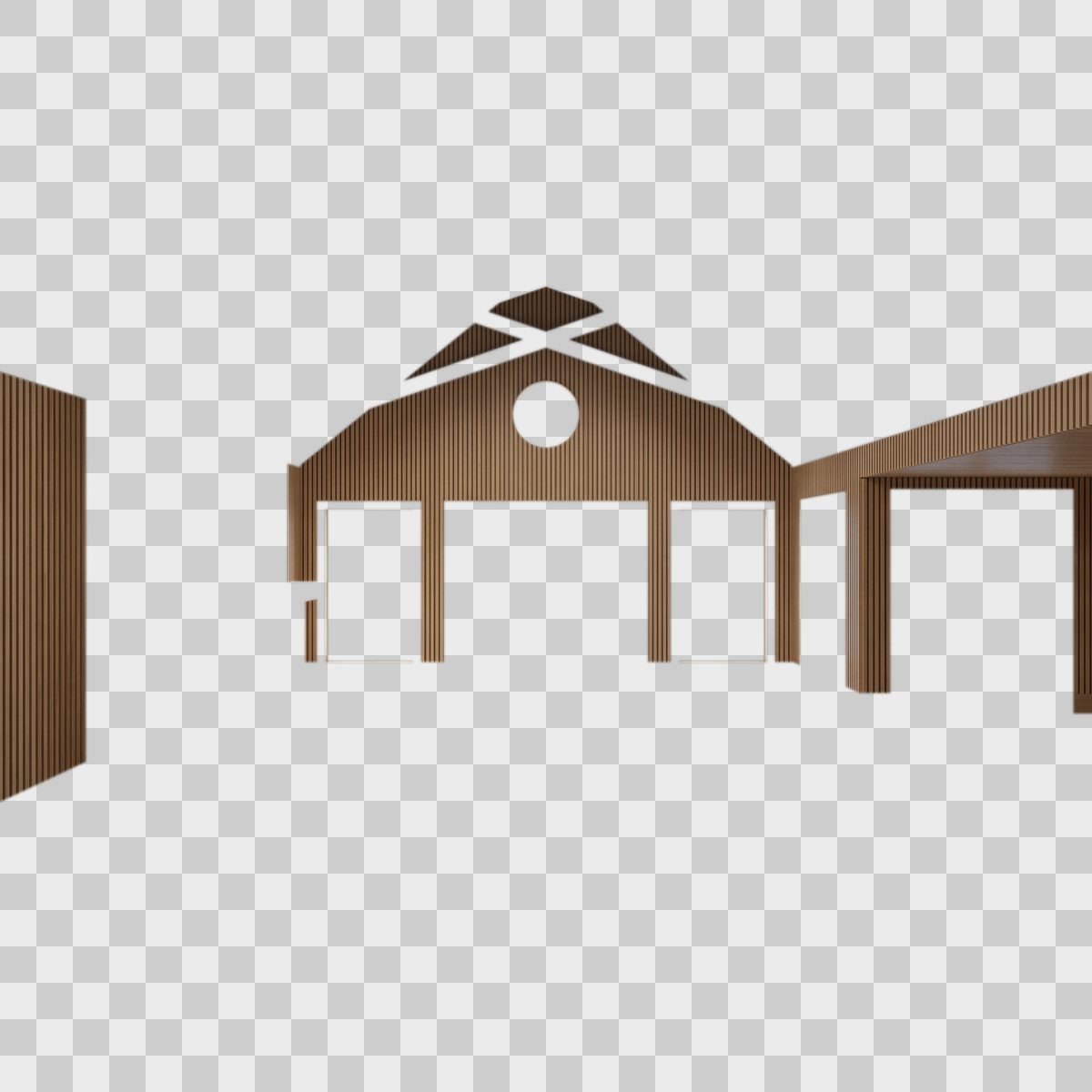
Each saved take is a transparent 2048×2048 PNG that covers only its surface. That’s exactly the layer format the game’s existing room system already uses, so no engine changes were needed.
5. One click into Photoshop
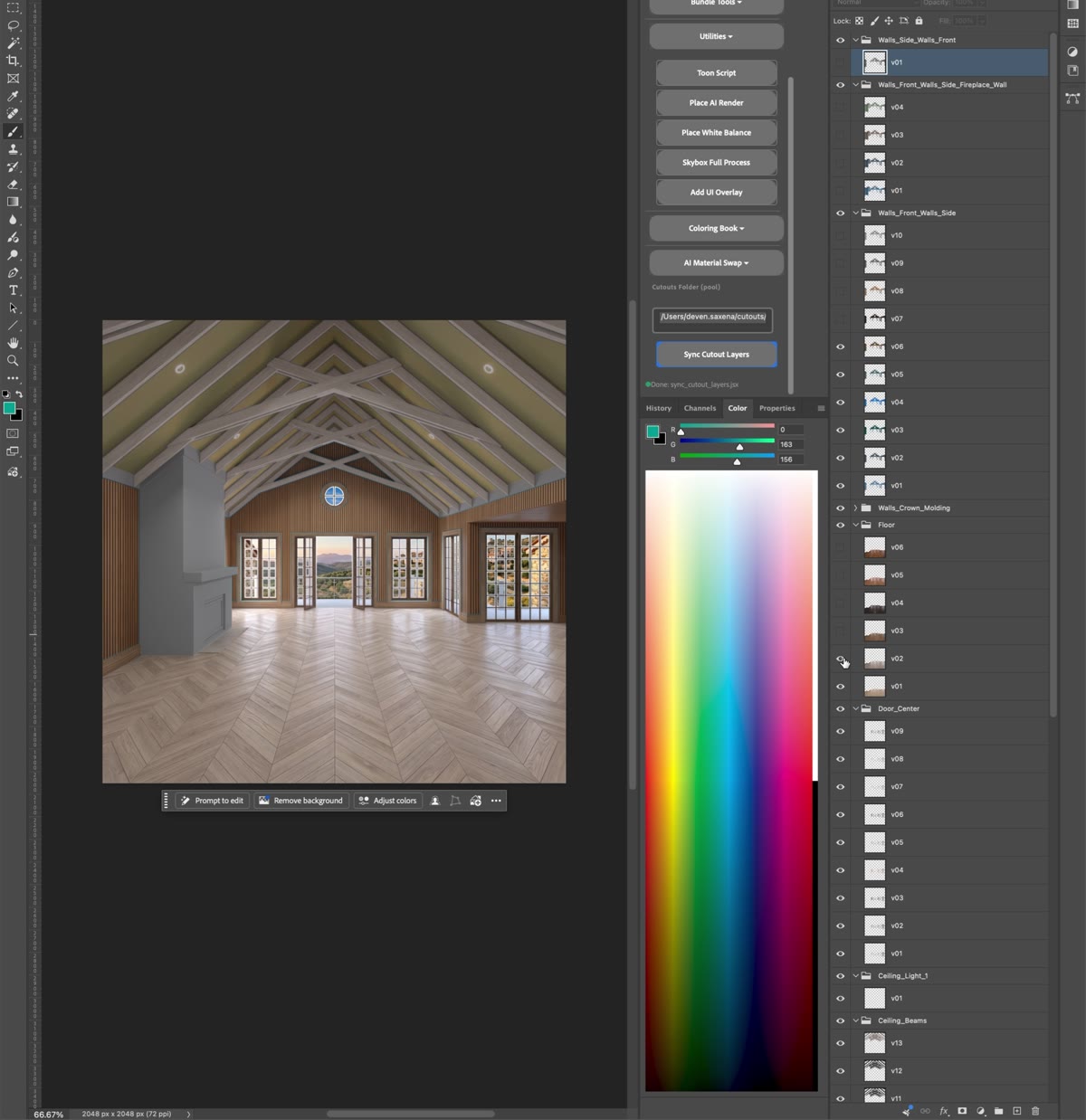
A Sync Cutout Layers button in my Photoshop panel (DH Tools) builds a layer group for each surface, with one layer per take. It’s non-destructive: running it again only adds new takes and never overwrites an artist’s edits. Artists switch looks by toggling layers, and they can still hand-paint wherever they want.
What made it hard
- Keeping the architecture intact. Image models like to “improve” a room by adding windows or moving doors. The Cryptomatte cutout throws away everything outside the target surface, so the AI can only ever change what was asked.
- Applying a specific material. The model accepts only one reference image. Sending just the room made it invent its own pattern; sending just the swatch made it invent new architecture. I settled on sending the material first with a prompt that locks the architecture and gives a tiling hint. I also proved out a stronger approach: one image with the room and the swatch side by side, plus a real-world scale (“~40 cm repeat”). Automating that is the next step.
- Render data that survives. Lossy EXR compression silently corrupts Cryptomatte IDs, so the pipeline requires lossless renders. Surface names are validated against the render file so a typo can’t produce an empty mask.
Impact
| 2022 V-Ray pipeline | AI MyHomes | |
|---|---|---|
| Artist time per level | ~1 hr setup + 8 hr render | ~30 min |
| New material or color | A new full render | A new prompt or swatch image |
| Turnaround | Many moving pieces: sheets, scenes, render nodes | One level in one day |
| Who can make variations | Technical art | Artists and the content team, on demand |
| Release cadence | Budgeted about once a year | Whenever players want more |
The content team can now generate new looks on demand from a prompt or a reference image, so a feature that players loved but production could only afford once a year can ship far more often.