Canvas: From Prompt to Playable Coloring Book
I co-created Canvas, Design Home's line-art coloring feature, and built its art pipeline. Over three versions, processing time per level fell from 4 hours to 15 minutes.
Canvas is a coloring-book feature in Design Home, built to grow daily active users. Players tap paint-brush icons on a line drawing and choose colors to bring the scene to life. I co-created it with our Art Director as its only technical artist. I designed the concept-to-final-image workflow and kept rebuilding it until a level that used to take 4 hours took 15 minutes.
This case study covers the latest version, Canvas Studio. It’s a web app inside our studio portal, Blueprint, that I designed and built with our engineering team. It takes a canvas from an idea to a live, game-ready asset in one browser tab.
What a canvas is made of
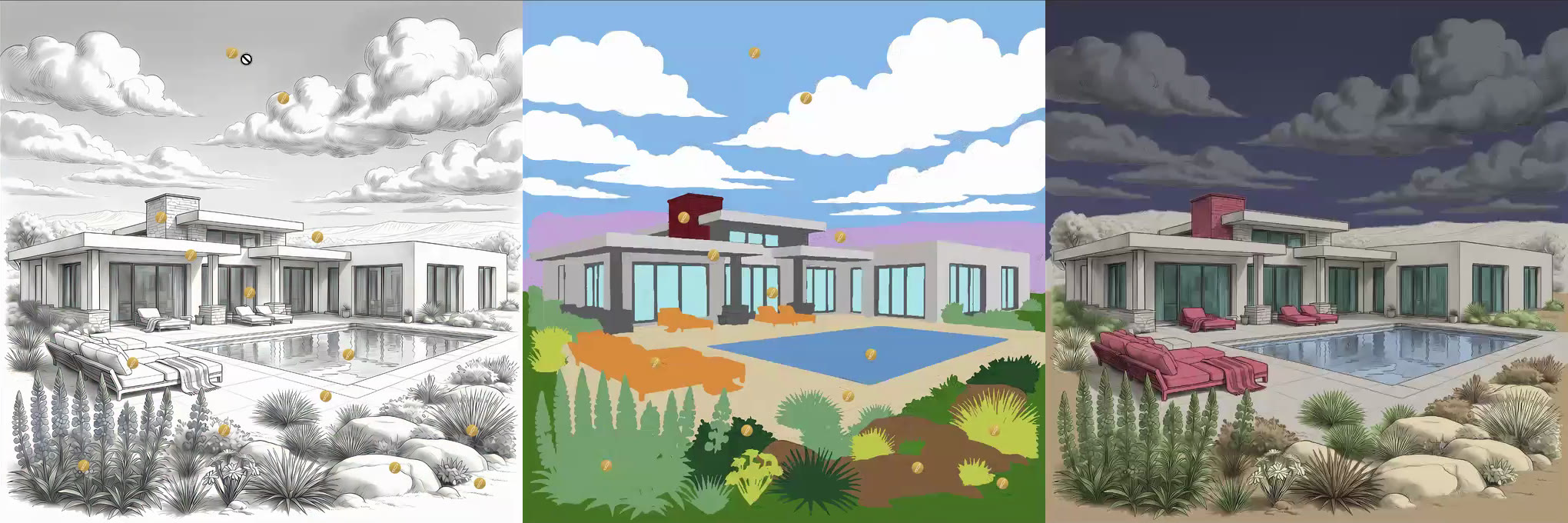 Left to right: line art (what the player colors), cryptomatte (the selection map) and watercolor (the color reference).
The key piece is the cryptomatte, a flat-color selection map where every object gets its own solid color. It tells the game exactly which pixels belong to “sky”, “roof” or “horse”, so it can mask and fill them when the player chooses a color.
Three versions, 16x faster
| Workflow | Where the time went | |
|---|---|---|
| v1 | Hand-built in Photoshop: generate images in external tools, layer them into a template, cut masks, place icons, export, then upload by hand | About 4 hours per level, mostly repetitive masking and file handling |
| v2 | Automated Photoshop pipeline: Python and ExtendScript generate masks from the AI color map, export game data, upload to SVN and trigger the CMS build | The artist still switched between tools and checked results by hand |
| v3 | Canvas Studio: generation, review, assembly and publishing in one web app, with AI handling region naming, colors and icon placement | About 15 minutes per level |
The pipeline
- Generate: create and lock the three source images.
- Review: an approver signs off, notified through Slack.
- Assemble: AI turns the images into named, colored, interactive regions.
- Publish: one click ships the canvas to the game.
Each stage ends in a deliberate lock, so downstream work never depends on art that might still change.
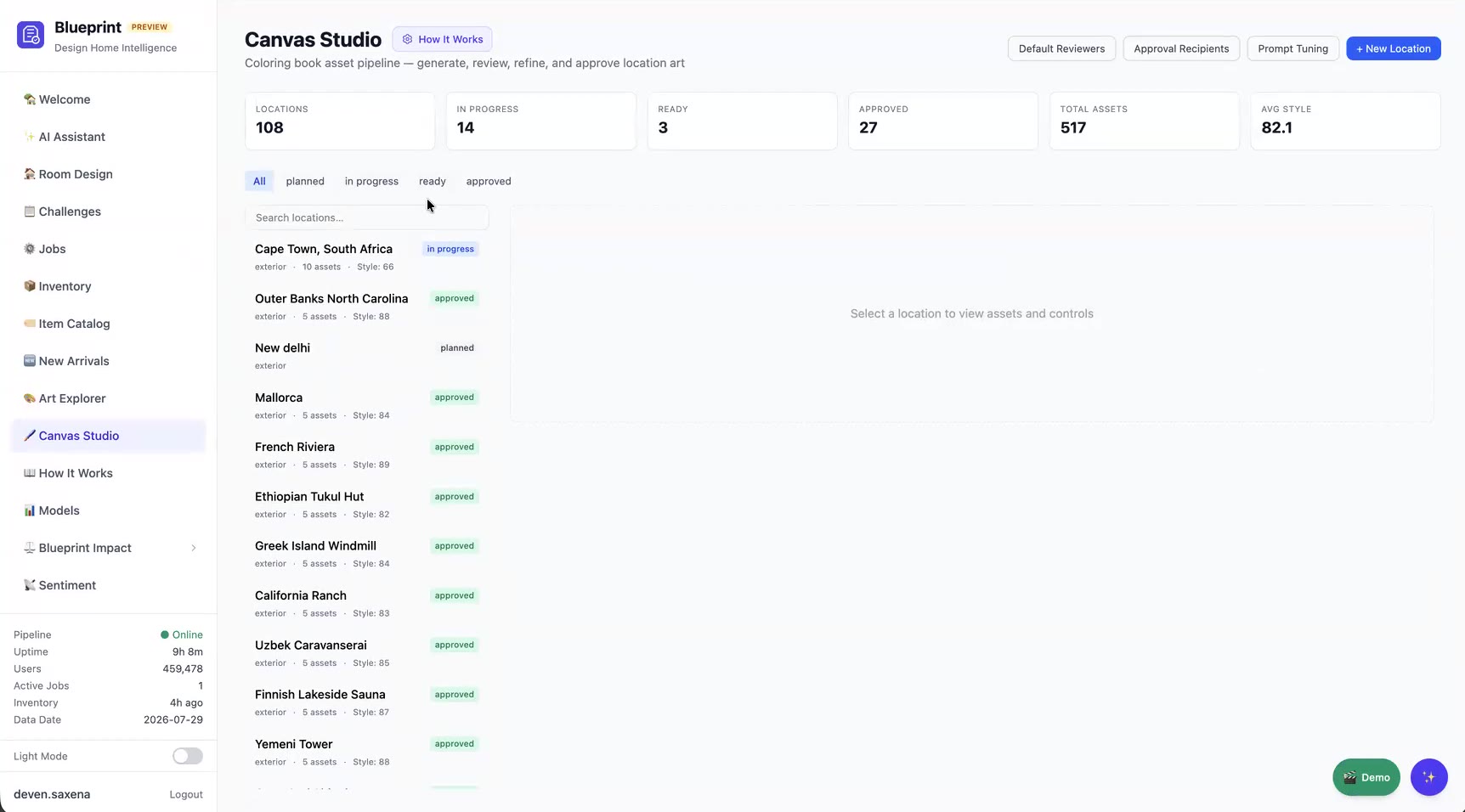 The dashboard tracks every location from planned to approved.
Stage 1: Generate
Source image
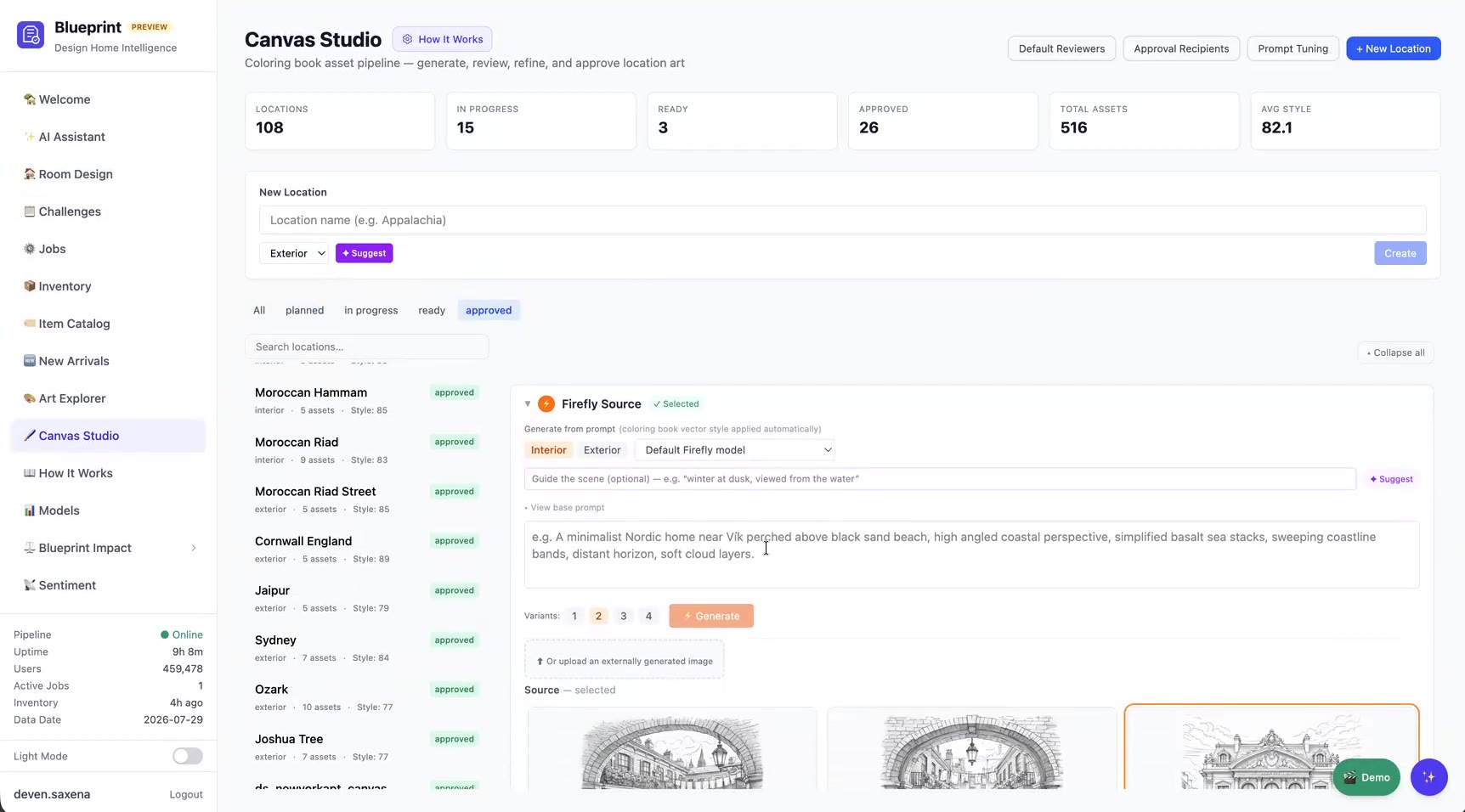
Artists start a new location, choosing interior or exterior. Suggest proposes a location based on our history of past canvases. Source images come from custom-trained Adobe Firefly models, with separate interior and exterior models, so results land much closer to the Design Home style than a stock model would. An optional scene guide refines the prompt, and images made in outside tools can be uploaded instead.
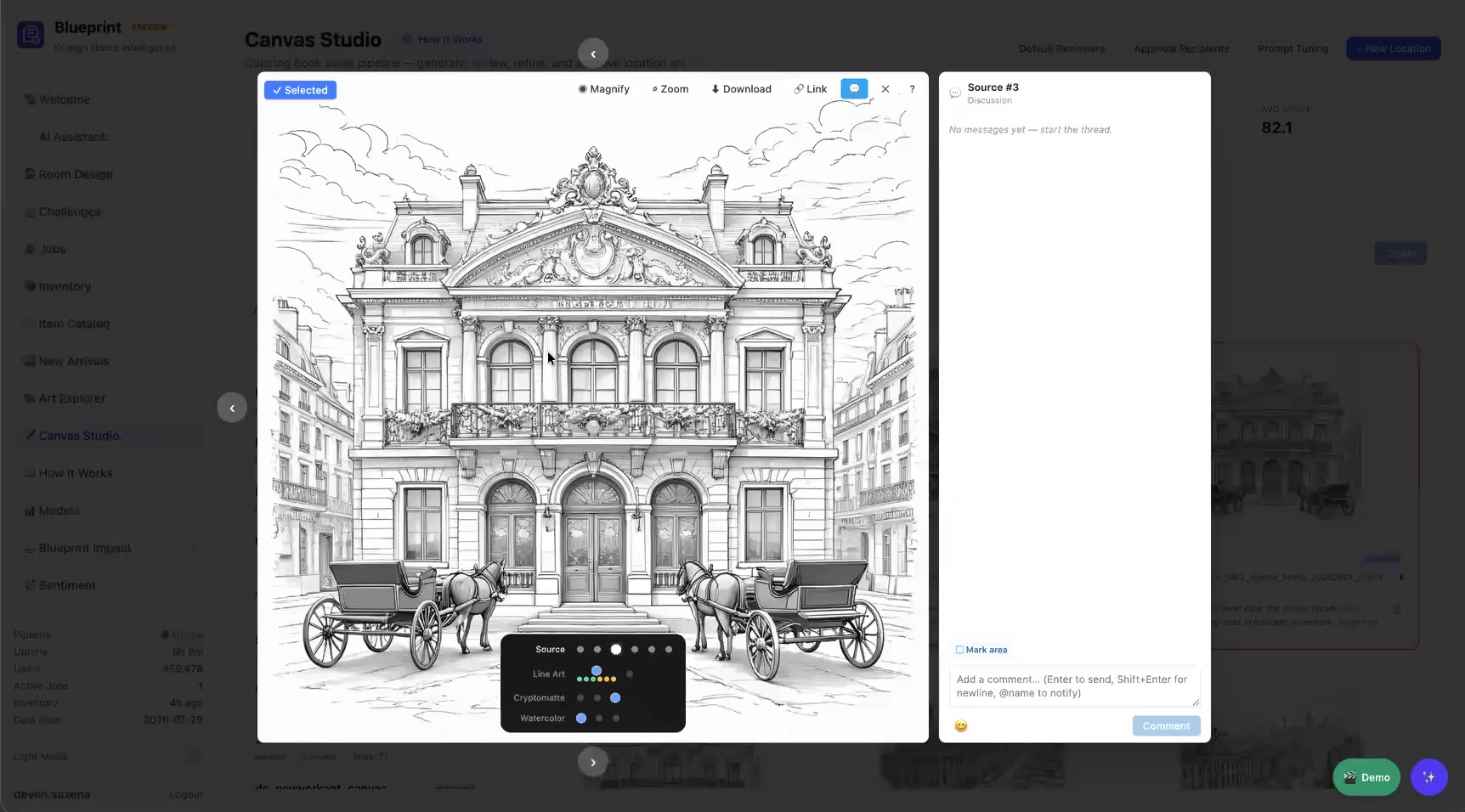
Every variant opens in a review lightbox with zoom, a magnifier and a threaded discussion that supports @-mentions, so art directors can give feedback in place.
Line art
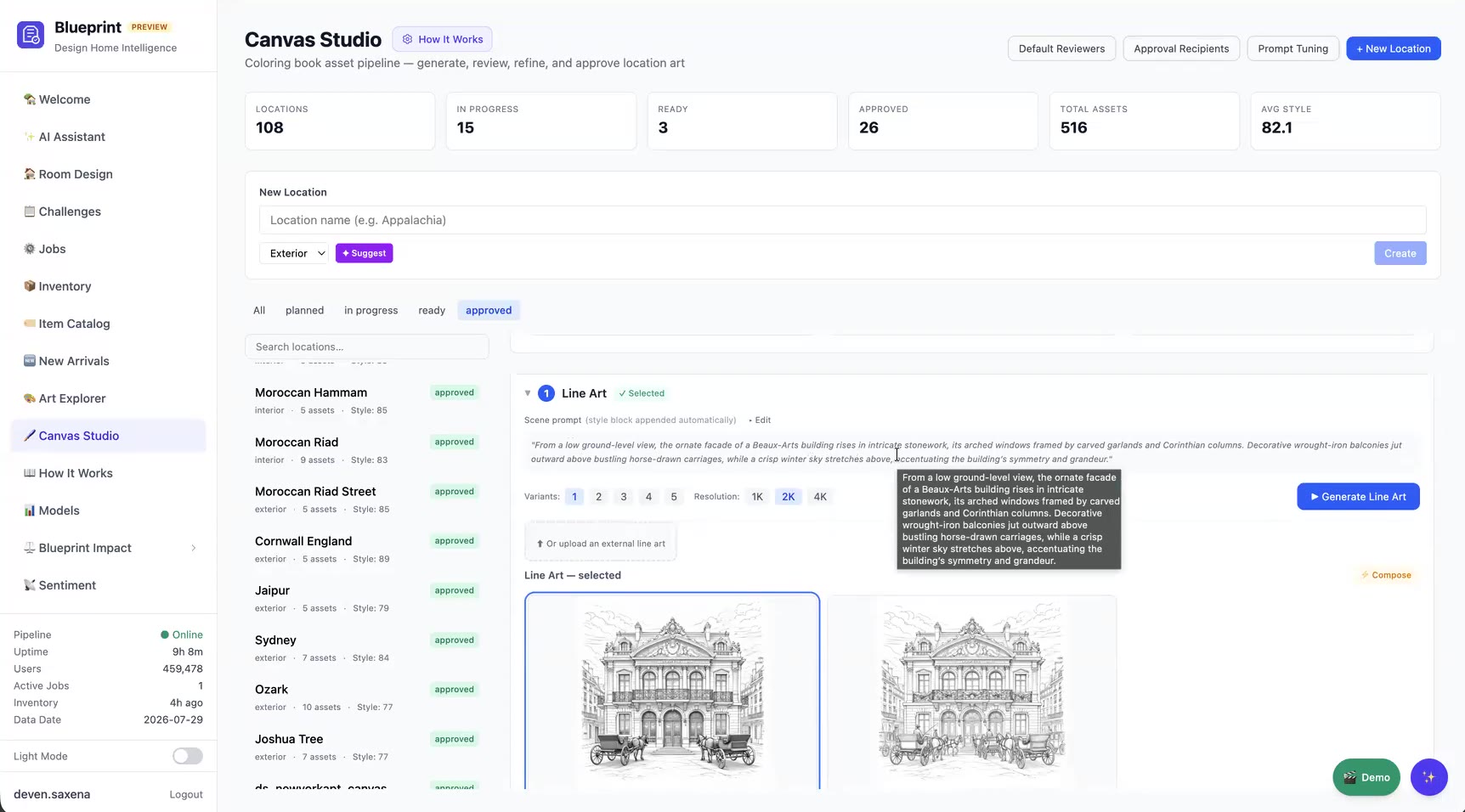
The line-art prompt is written automatically from a style block learned from about 80 shipped backgrounds, which keeps every canvas consistent with the house style. Artists choose the variant count and resolution (1K / 2K / 4K), compare the options, and lock one in.
Cryptomatte and watercolor
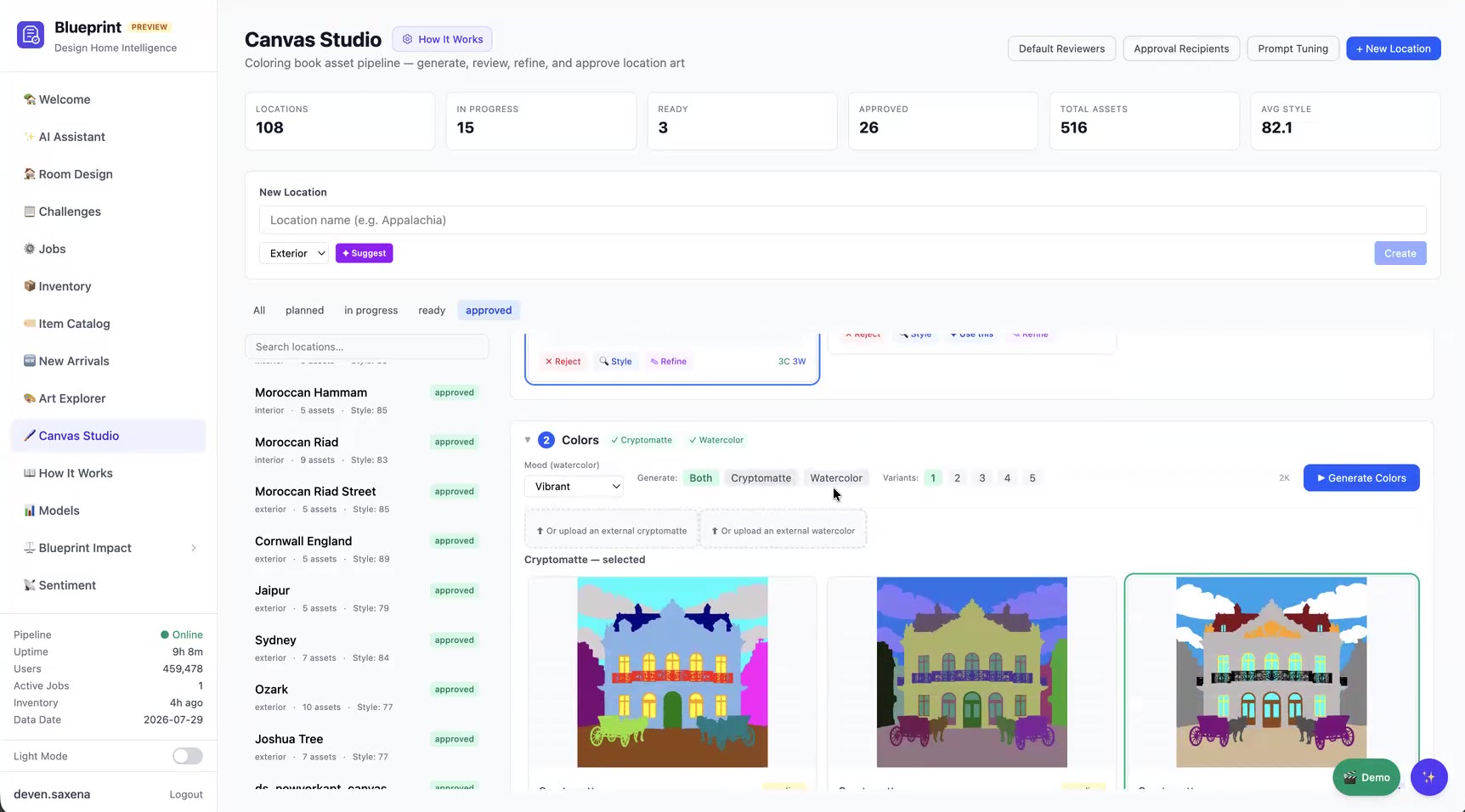
Next the tool generates the cryptomatte, the watercolor reference, or both. A mood setting steers lighting and palette, and an overlay view checks the cryptomatte against the line art. That catches problems early, such as split window glass, or two carriages that should share a color.
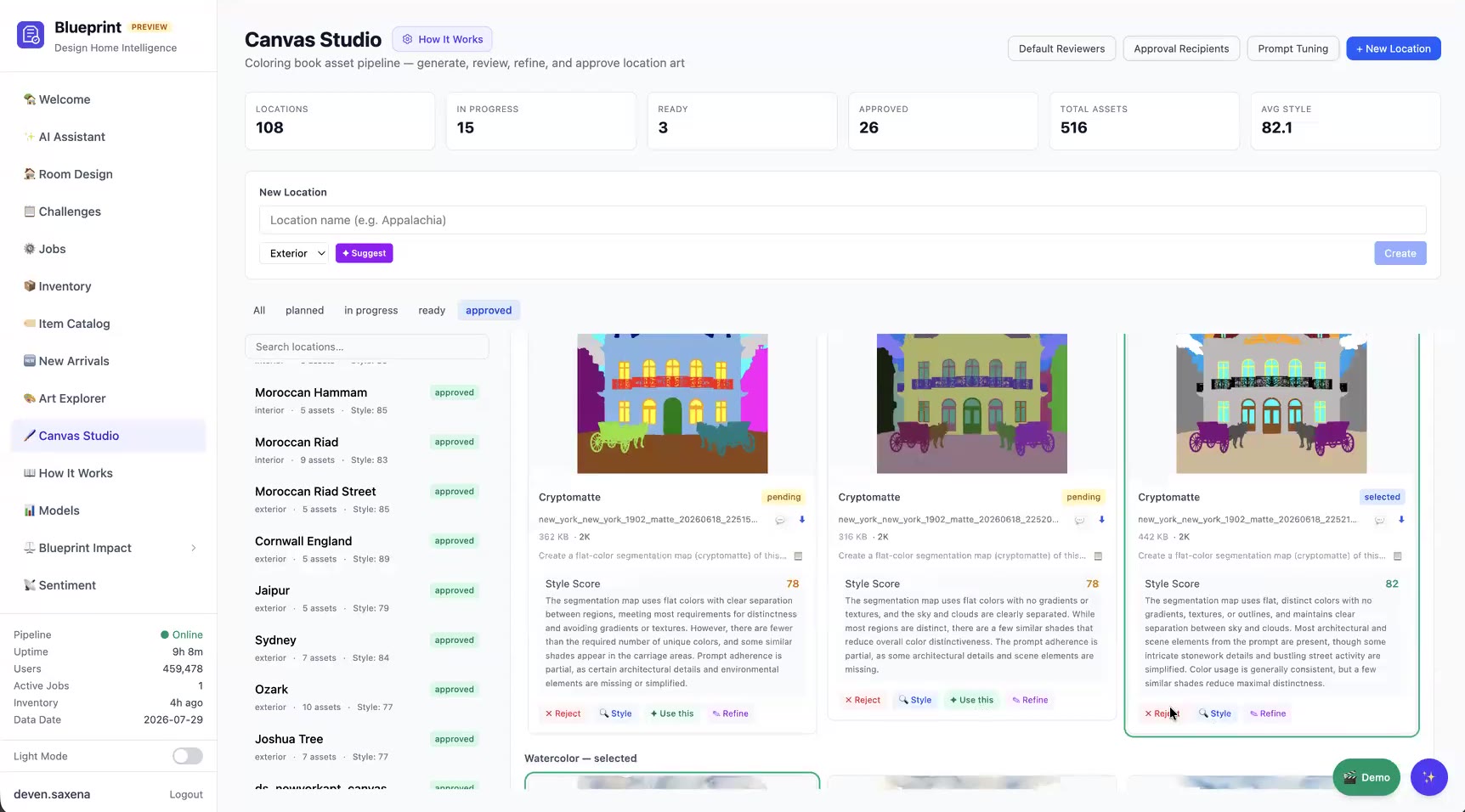
Every asset gets an AI style score with a written critique, which helps artists choose between variants and gives the team a quality metric over time.
Review and approval
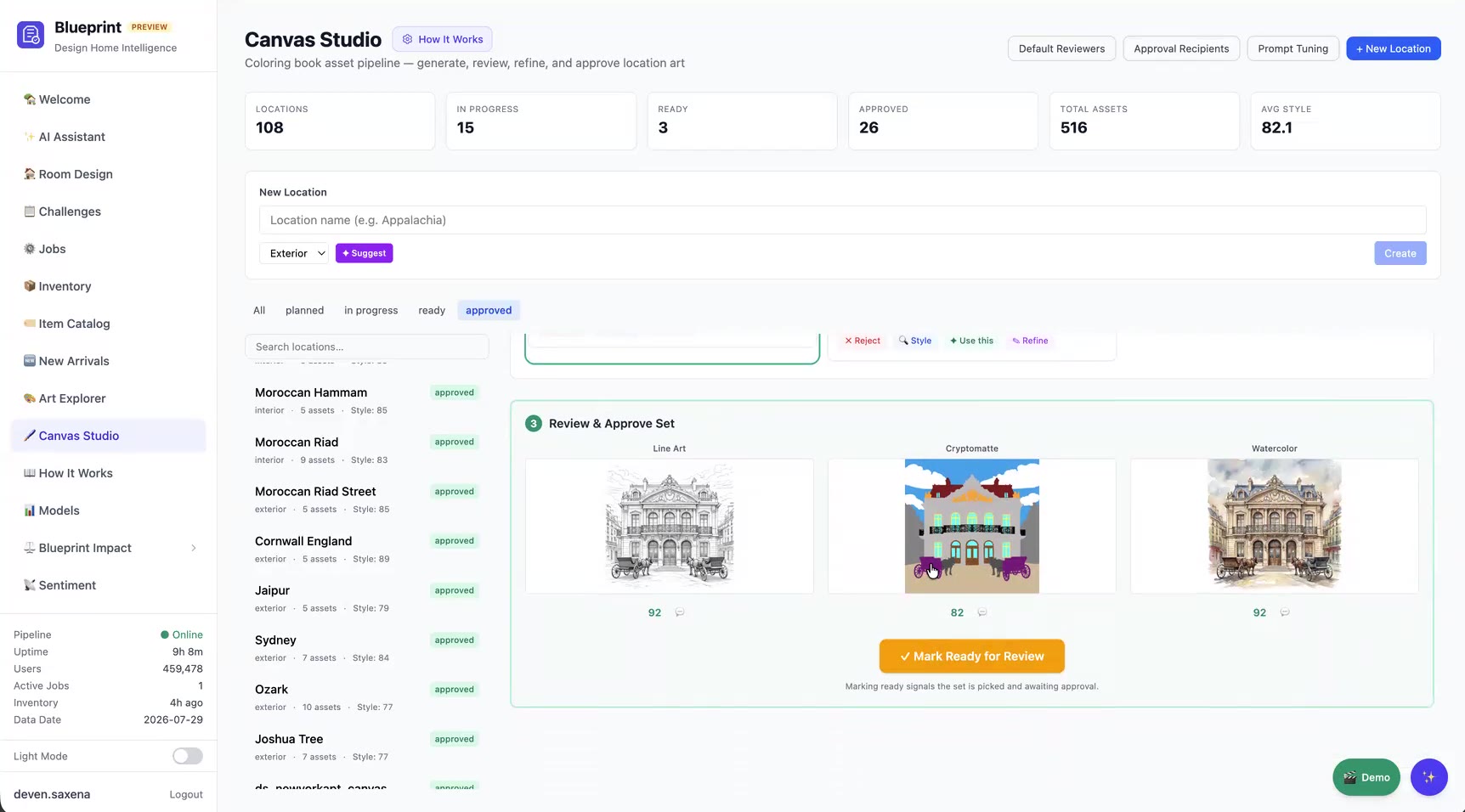
Mark Ready for Review sends the approver a Slack notification. Approve & notify locks the set and tags the artist who will do assembly. If something needs to change later, Reopen sends the images back, and the next rebuild replaces the assembly, so a canvas is never left half-updated.
Stage 2: Canvas Assembly
This stage replaced most of the old Photoshop work.
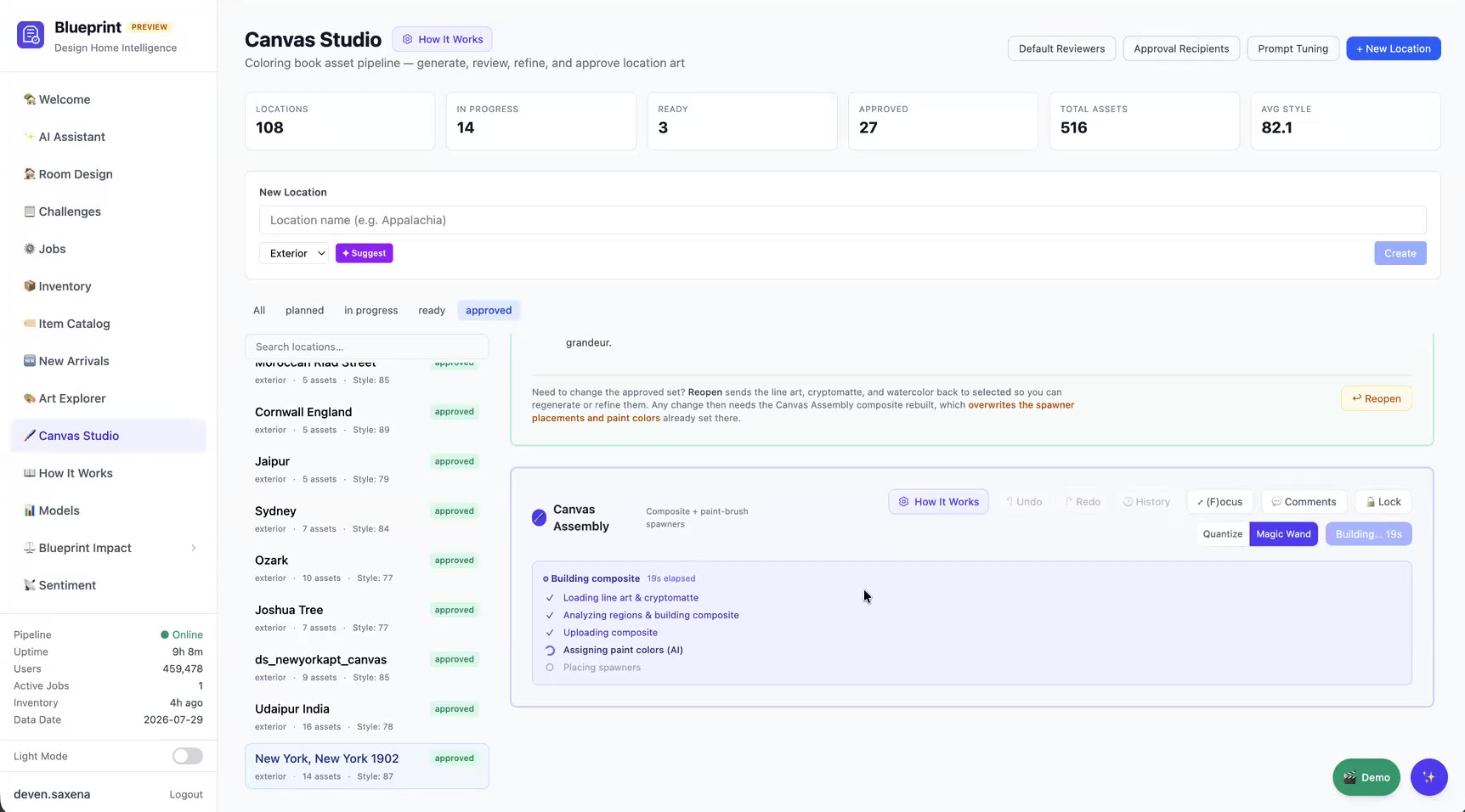
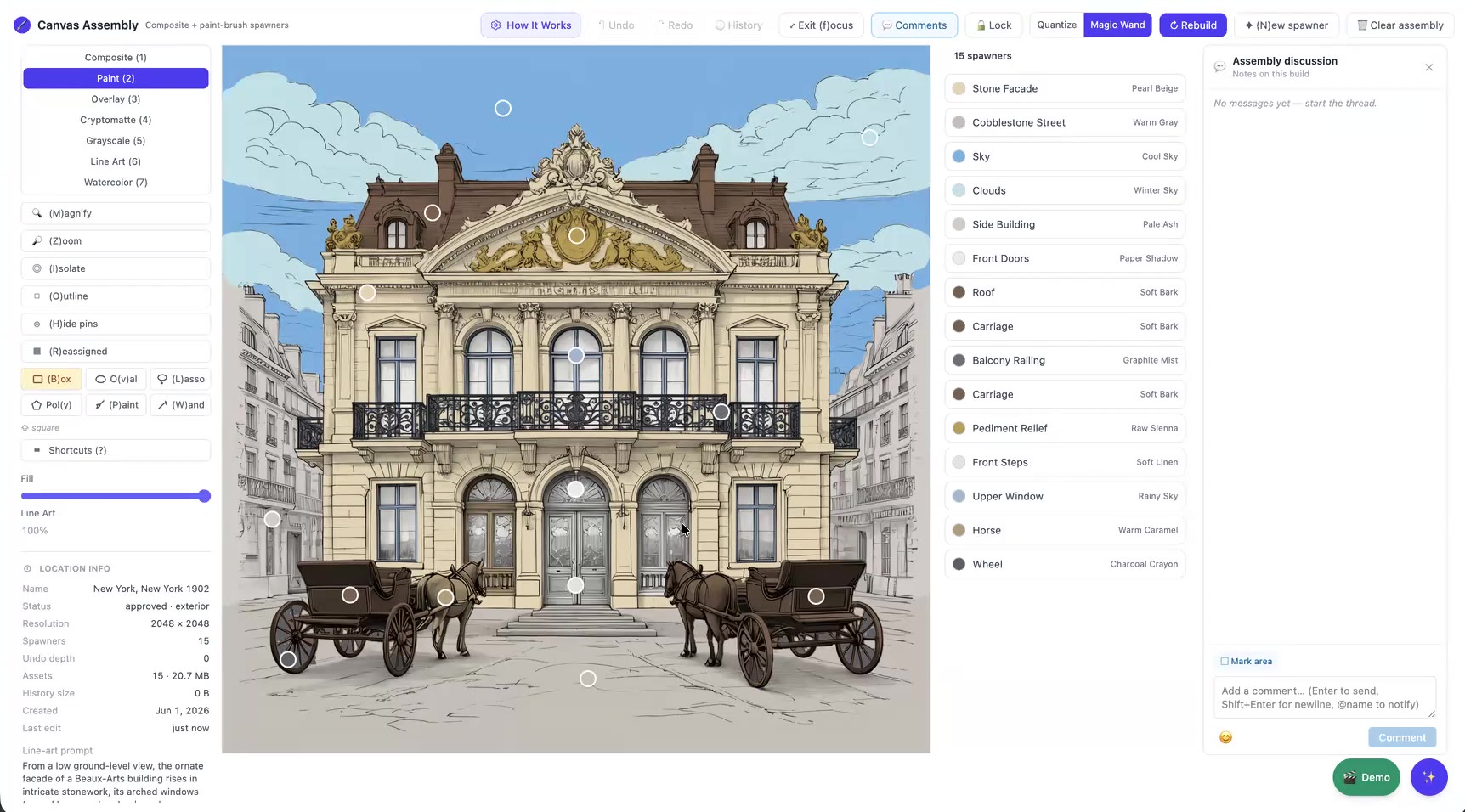
One click on Rebuild:
- Loads the approved line art and cryptomatte.
- Segments regions with Magic Wand (region-aware) or Quantize (color clustering).
- Builds the game composite.
- Uses vision AI to name every region and suggest a real-world color. Each color is matched to the nearest paint brush in our live CMS catalog.
- Places one paint-brush icon (spawner) per region.
One image to rule them all
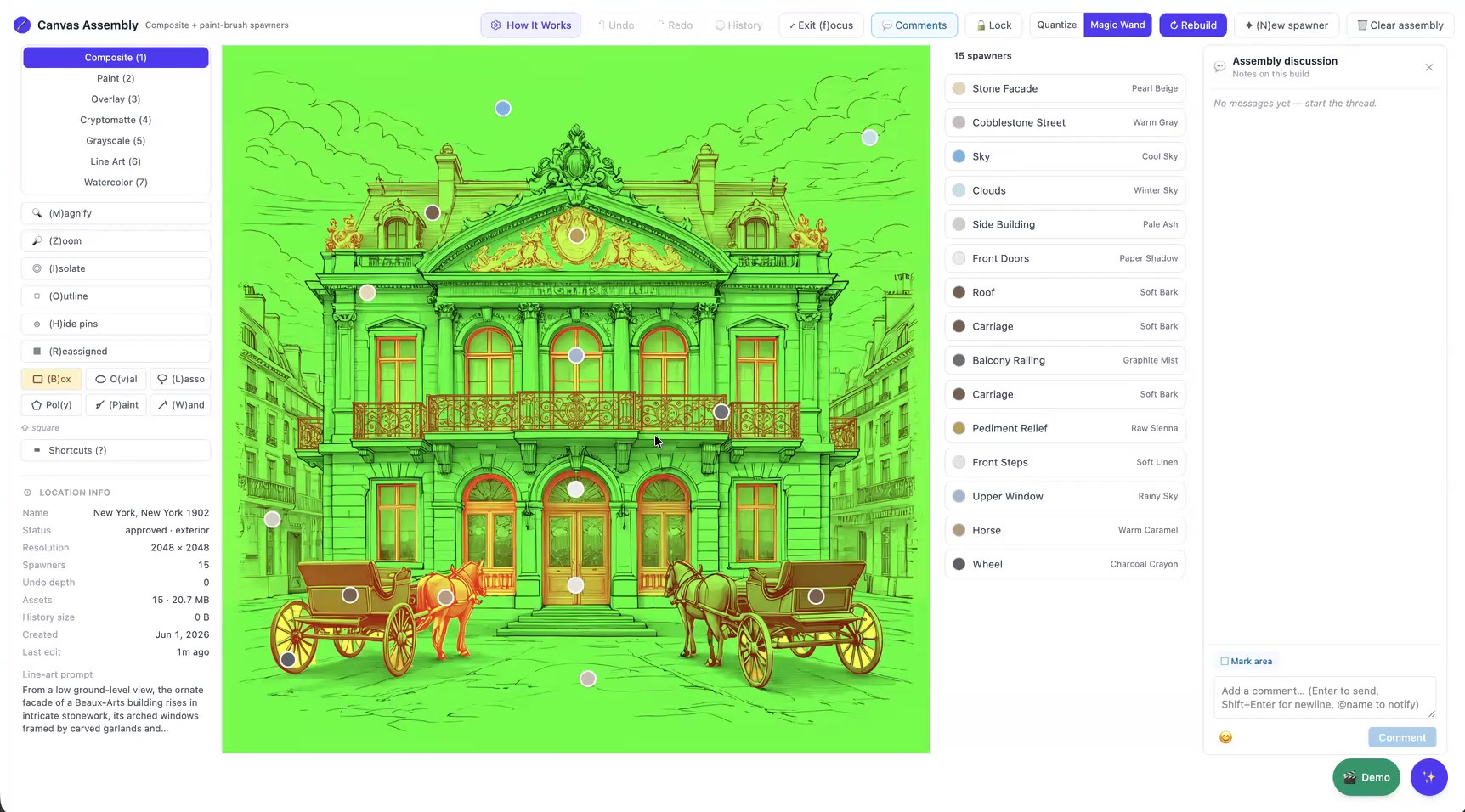
The game reads a single packed image. The red channel holds the region masks, with a unique value for each region, and the green channel holds the line drawing. One texture keeps both download size and memory low.
Precision tools for the last few percent
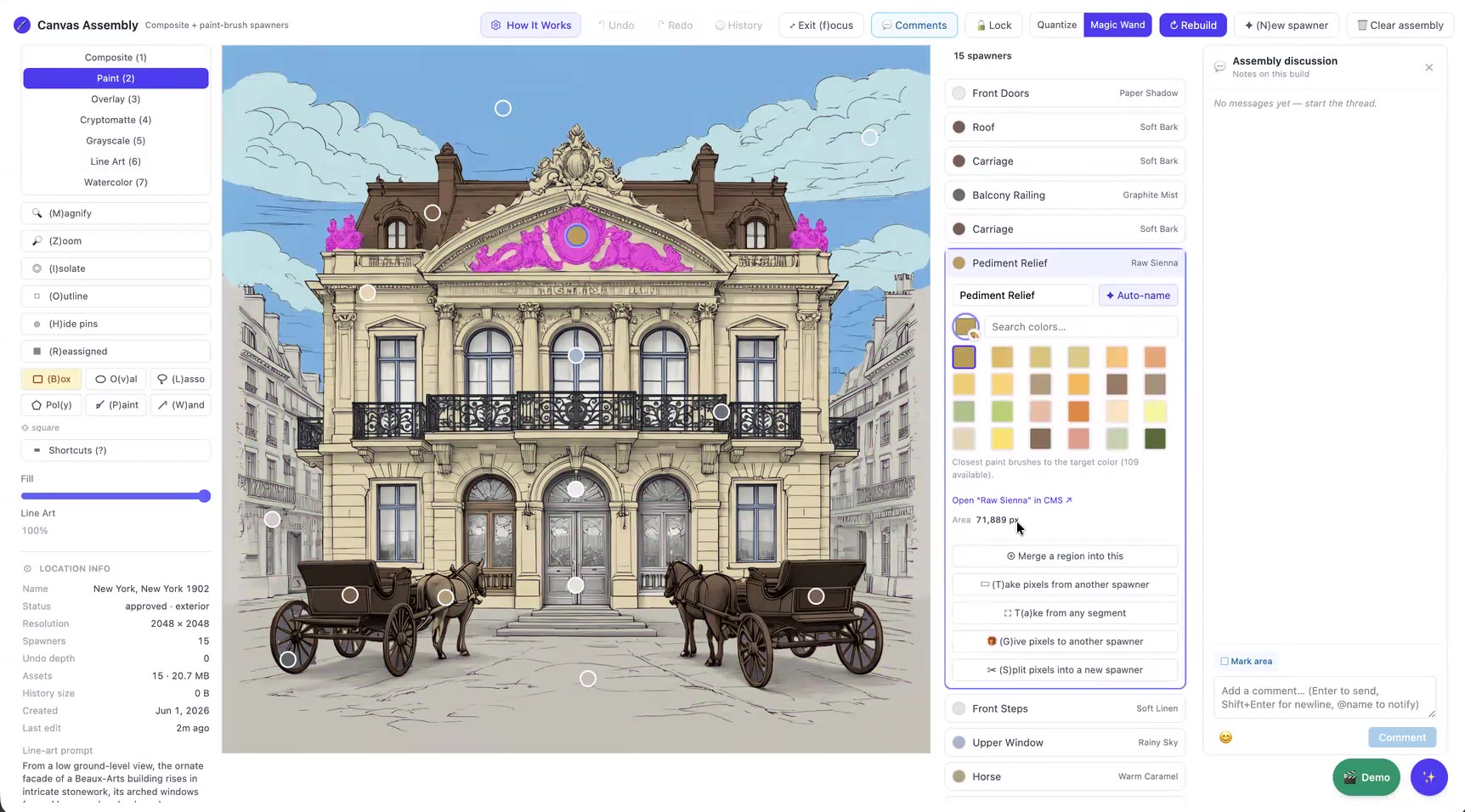
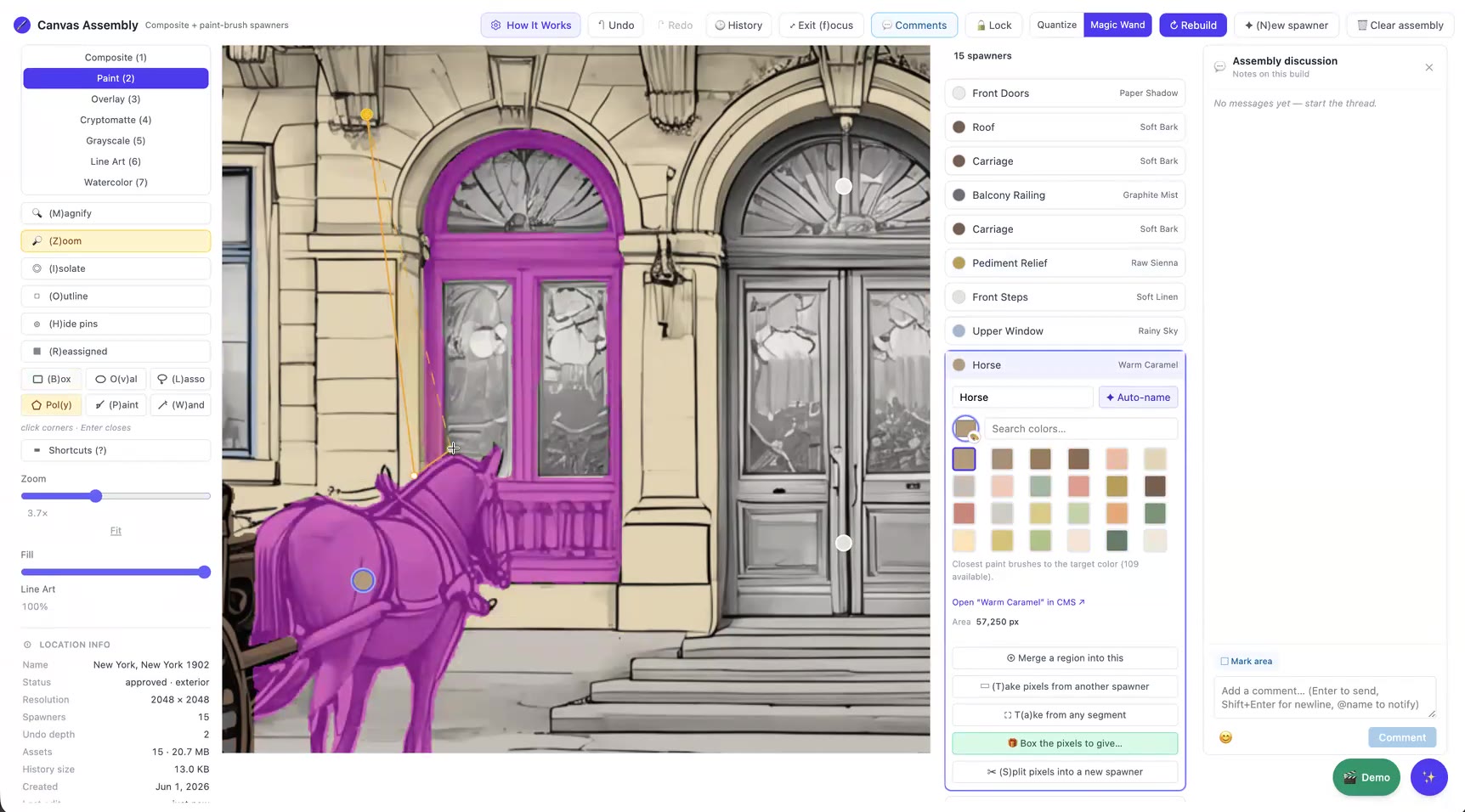
When the AI groups things that should be separate, like a horse and the carriage frame behind it, artists can merge, take, give or split pixels between spawners. They can use box, oval, lasso, polygon, paint and wand selections, all with keyboard shortcuts, plus full undo history.
With a clean cryptomatte, about 95–99% of spawners are correct as generated. Manual fixes are the exception.
Stage 3: Publish
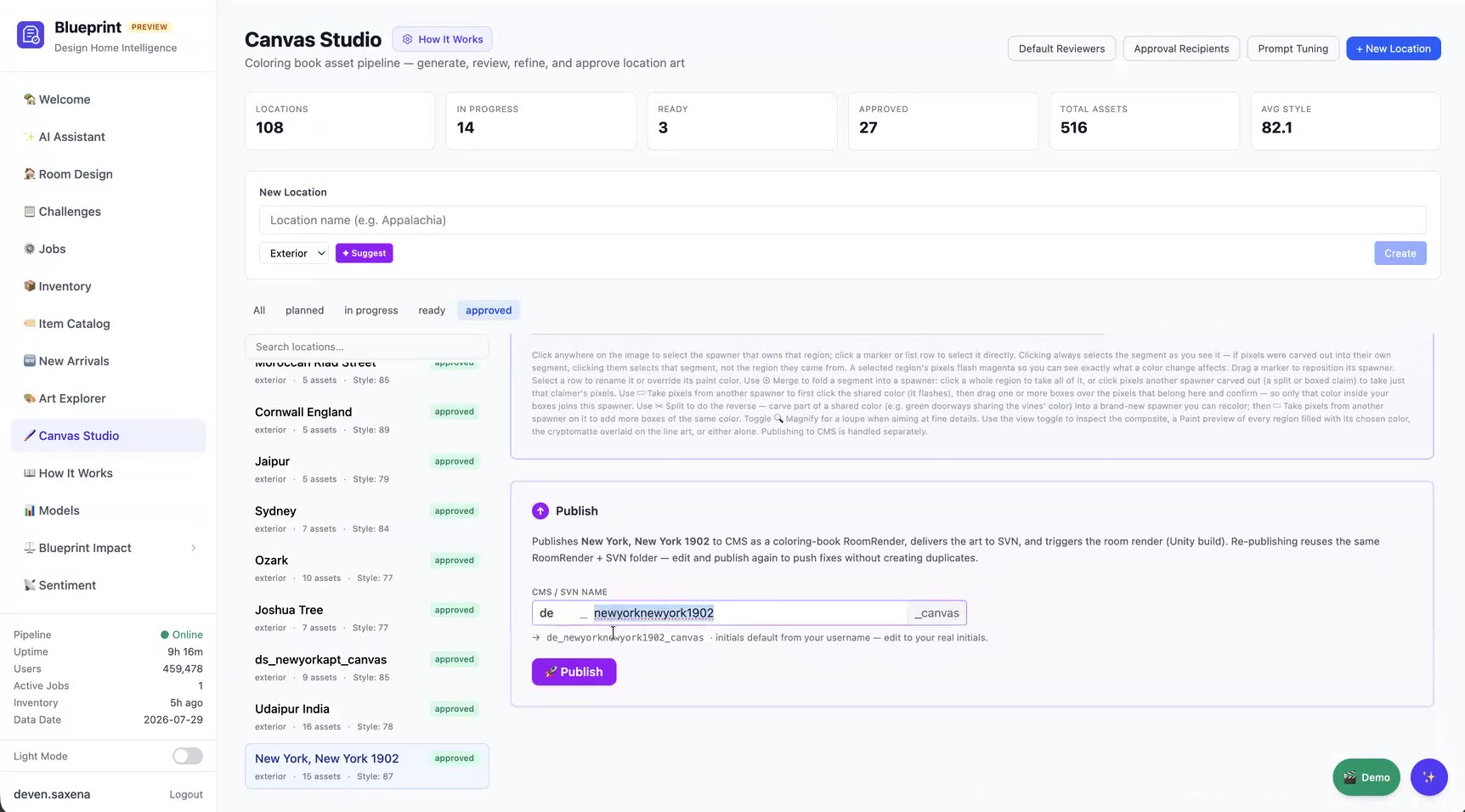
Canvas Studio suggests a unique name. One click then exports the canvas data, delivers the art to SVN, creates the CMS entry and triggers the Unity build. Results for Android, iOS and macOS come back into the tool:
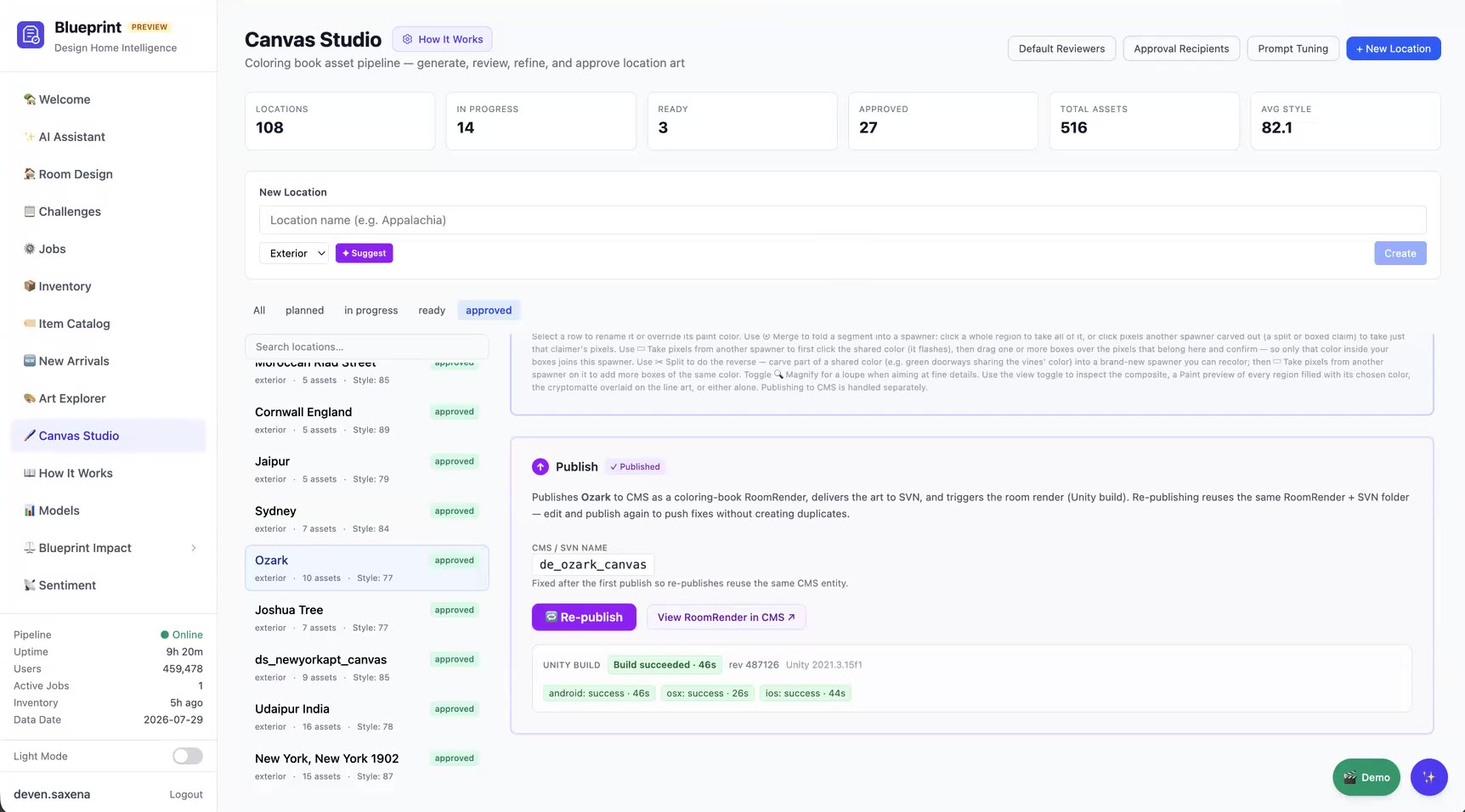
Republishing reuses the same CMS entry, so fixes ship without creating duplicates.
Impact
- 16x faster per level (4 hours → 15 minutes), so a small team can keep up a steady flow of new canvases.
- Consistent quality: custom models, a learned style block and AI style scoring keep every canvas on-brand.
- Fewer handoffs: one tool replaced six or seven steps across Photoshop, AI generators, shared drives, SVN and the CMS.
- A reusable pattern: the same generate → review → assemble → publish flow is now a template for other content pipelines at the studio.